Artificial intelligence for operations.More capacity and efficiency.
yapt. connects people, data and systems to apply AI to operations management. Organize queues, automate processes and track productivity indicators to reduce repetitive work. Specialists can support assessment and implementation.
1,900+ companies have trusted New Way with their operations
Find the effort that does not become delivery
Where is your operation losing time, money and capacity?
A growing queue, repeated tasks and scattered information have the same effect: more effort to deliver. Explore eight situations and see how to connect management, AI and processes to address waste.
How yapt. helps01 / 08
“We only find the problem after the queue has grown.”
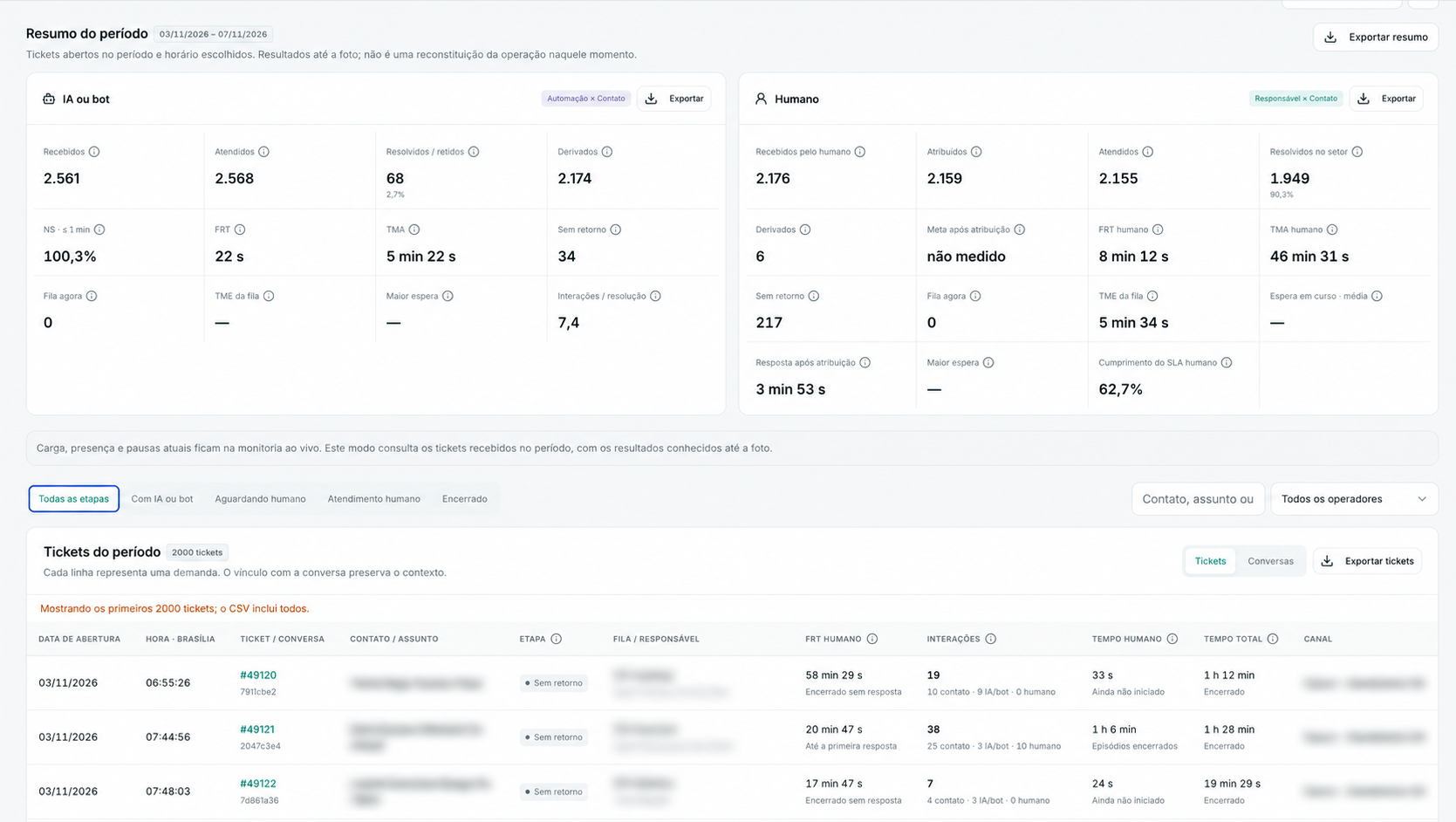
See where work is building up.
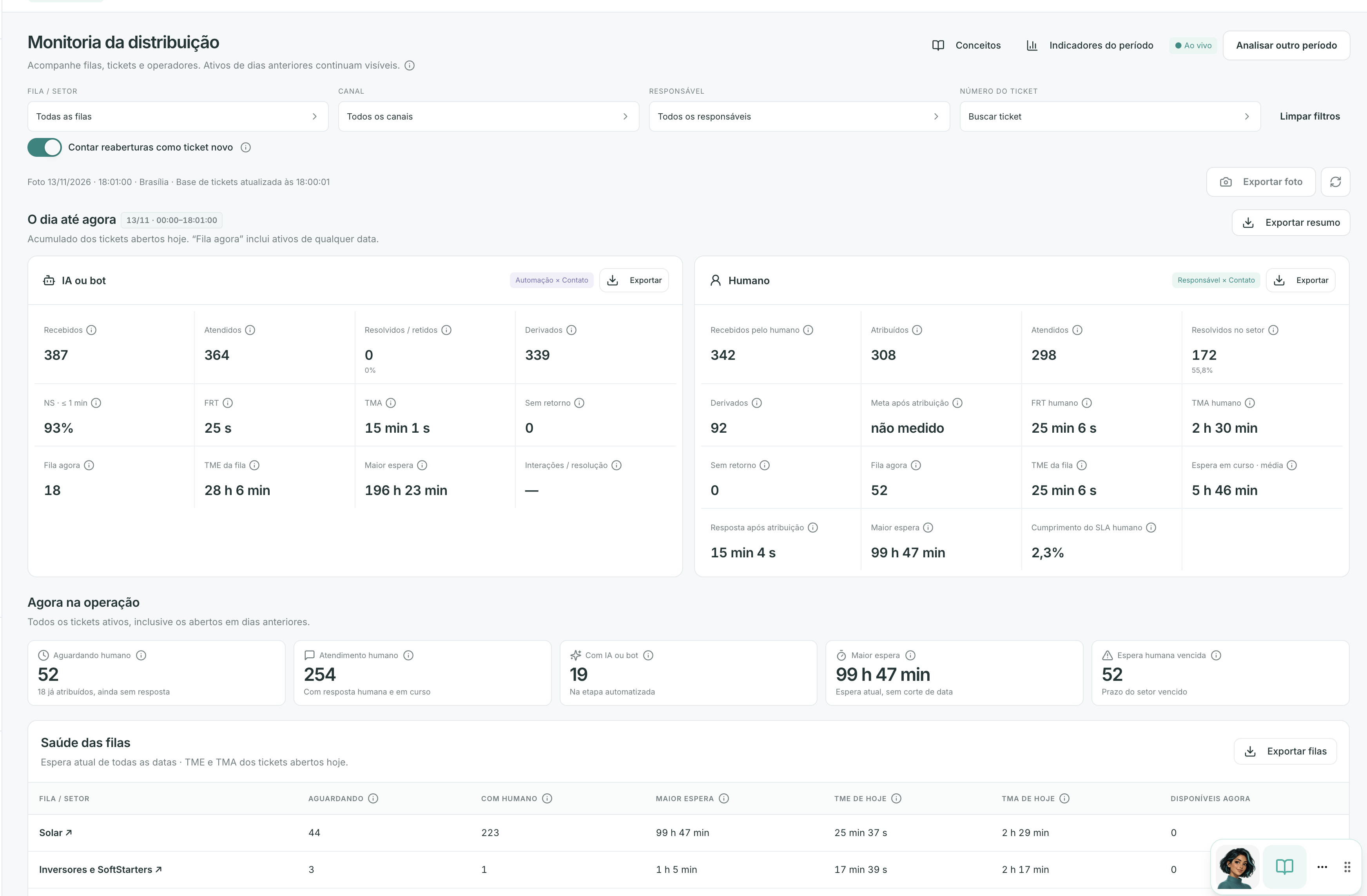
Bring together demand, queues and the work handled by AI and people. Distinguish today's activity from work that is still active, including earlier days, to locate the bottleneck and decide where to act.
See what AI received, resolved or handed over and what reached the team, respecting each indicator's definition.
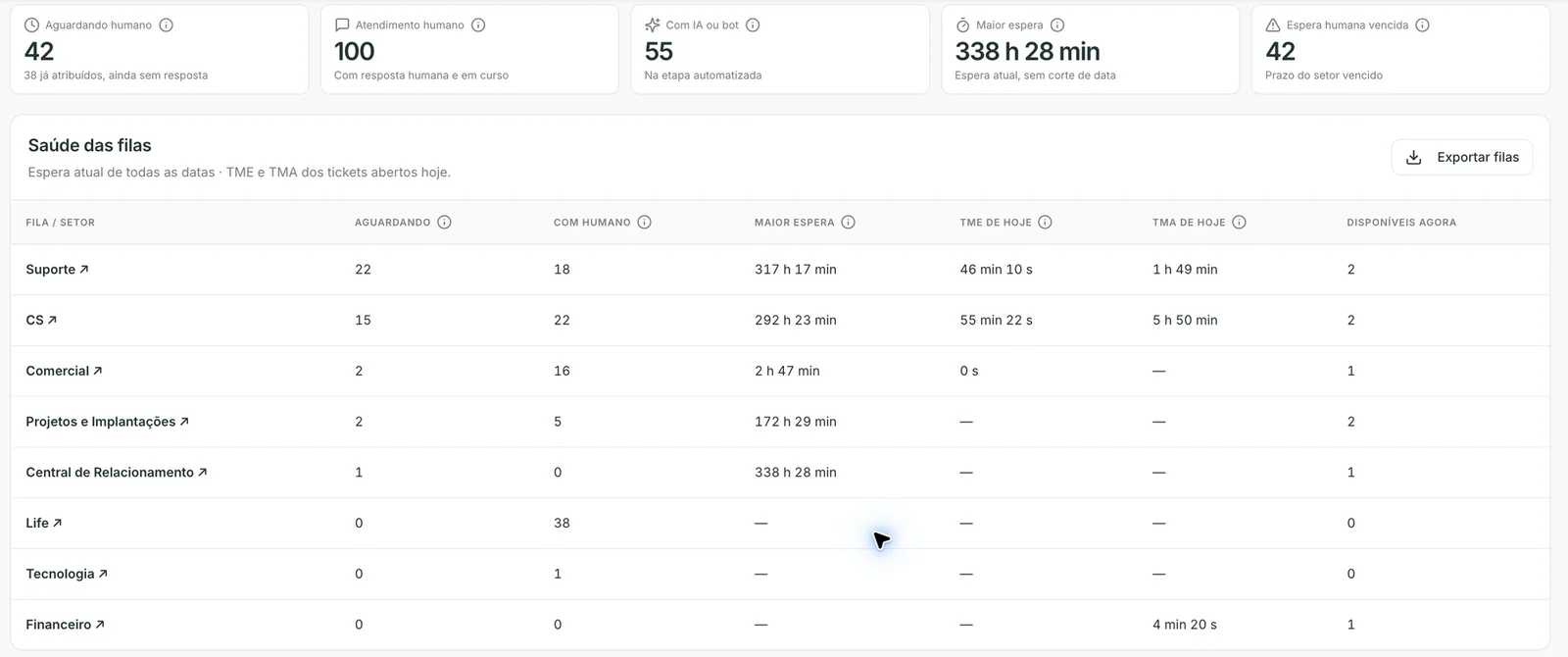
Check queue health and the longest wait to investigate the backlog before choosing an intervention.
In practice
01Observe
Today's demand and work still active.
02Locate
Queues, longest wait and handoffs to people.
03Prioritize
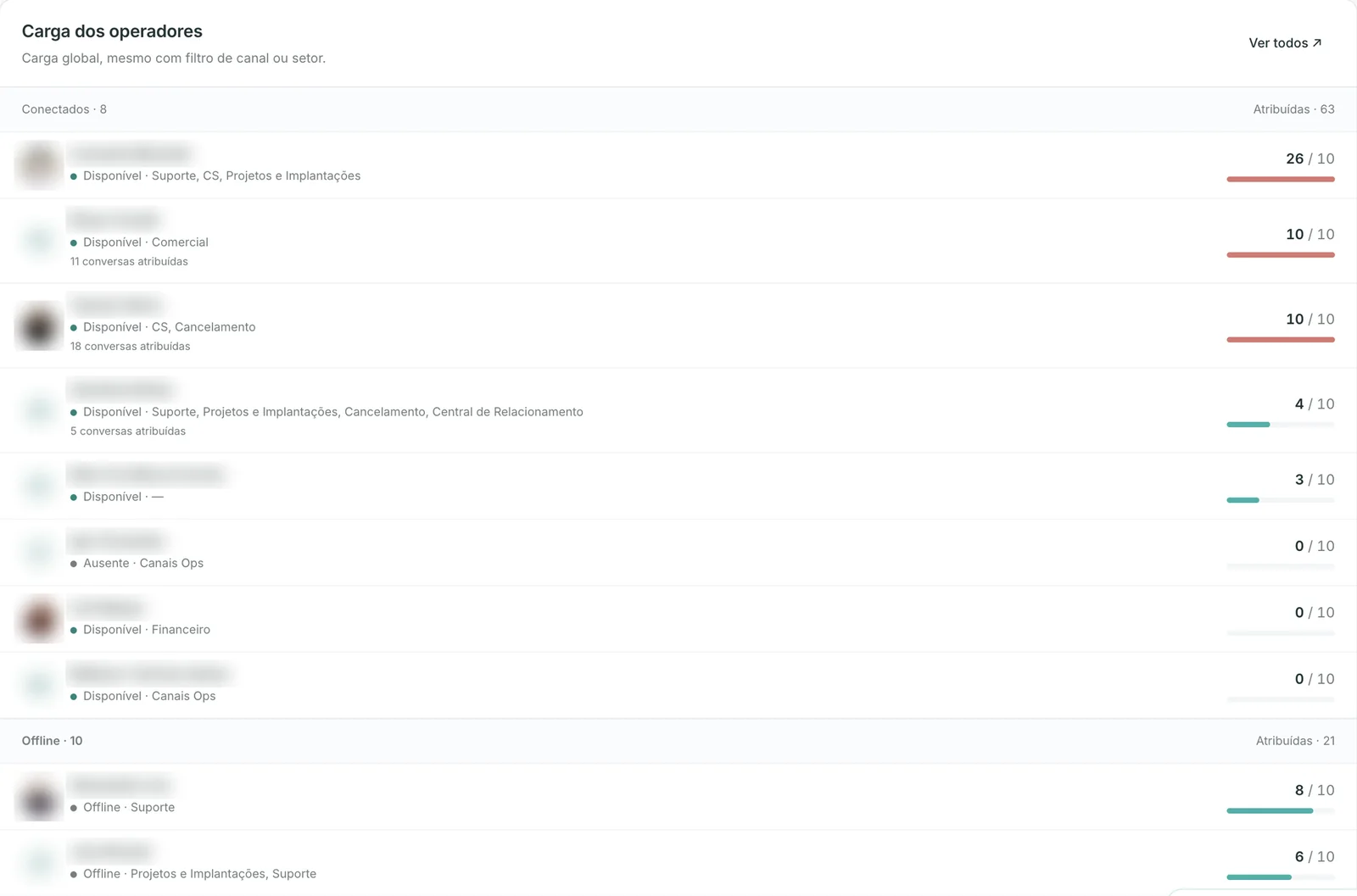
The team and cases that need attention.
From the operation overview to what needs attention.Real screens · UI in Portuguese
yapt. · OperationsFrom the operation overview to what needs attention.
DemandNow
ServiceContext
QueuesWaiting
Real screens · UI in Portuguese
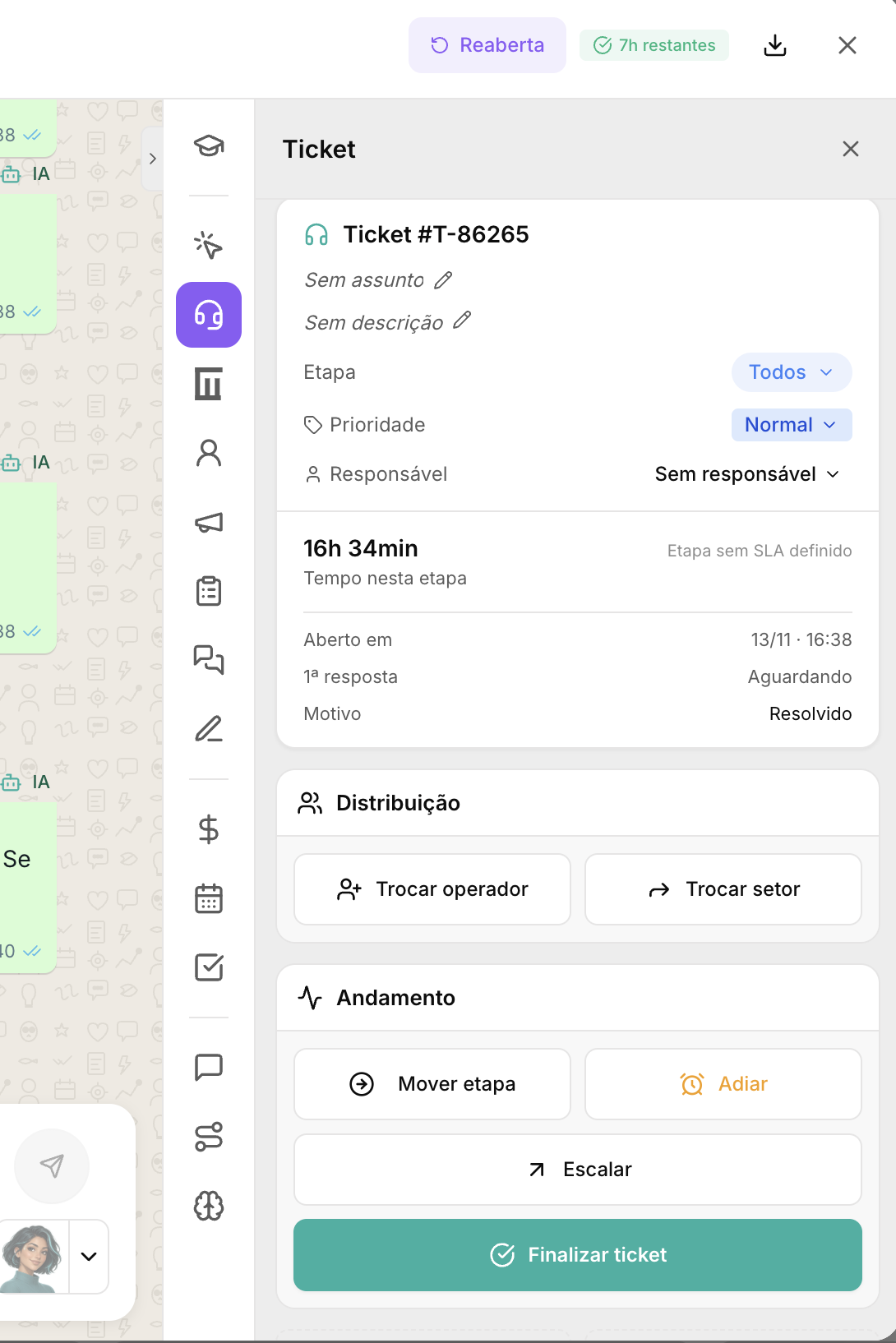
Monitoring brings together tickets that need follow-up.
00:00 / 00:19
Real screens from different operations and periods.
How yapt. helps02 / 08
“Some people are overloaded while others could help.”
Distribute work with clear criteria and limits.
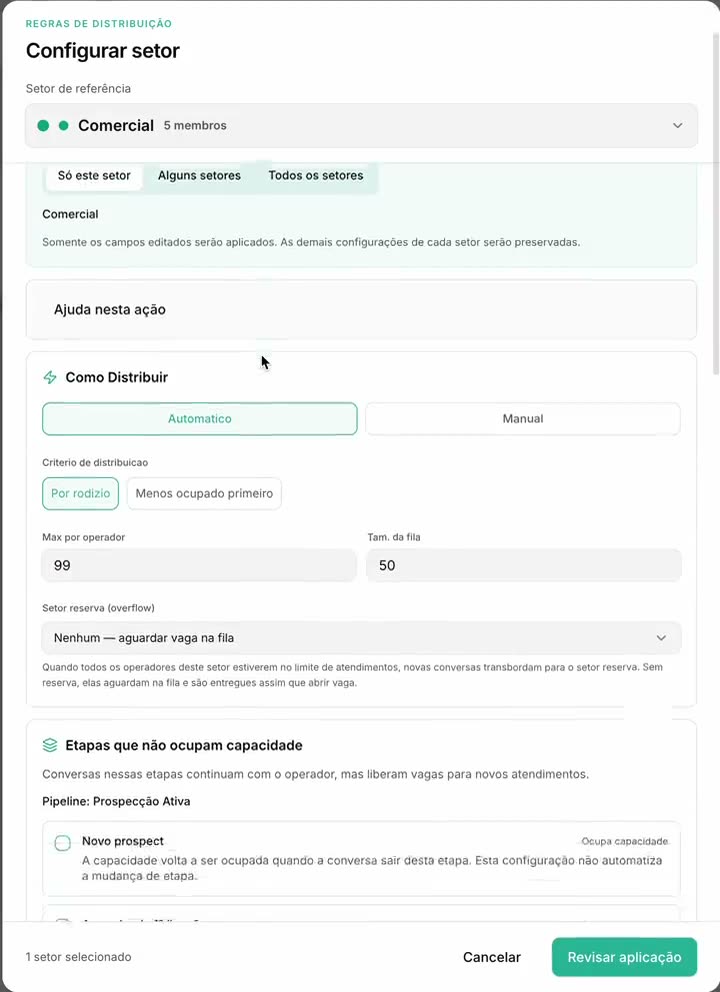
Configure routing by team and track each operator's workload. Round-robin, least loaded, priorities and limits guide incoming work according to your operational rules.
Choose manual routing or automatic round-robin or least-loaded routing according to the team's configuration.
Balance incoming demand with per-operator limits and options for waiting or routing to another team.
In practice
01Compare
Current workload, limits and availability.
02Configure
Criteria, priorities and per-operator limits.
03Follow up
Distribution, waiting time and support needs.
Demand, capacity and routing criteria.Real screens · UI in Portuguese
yapt. · OperationsDemand, capacity and routing criteria.
QueuesDemand
CapacityWorkload
RulesCriteria
Real screens · UI in Portuguese
Start with demand waiting for service in each queue.
00:00 / 00:19
Real screens from different operations and periods.
How yapt. helps03 / 08
“The team works all day, but we do not know where capacity is lost.”
Find capacity to deliver more.
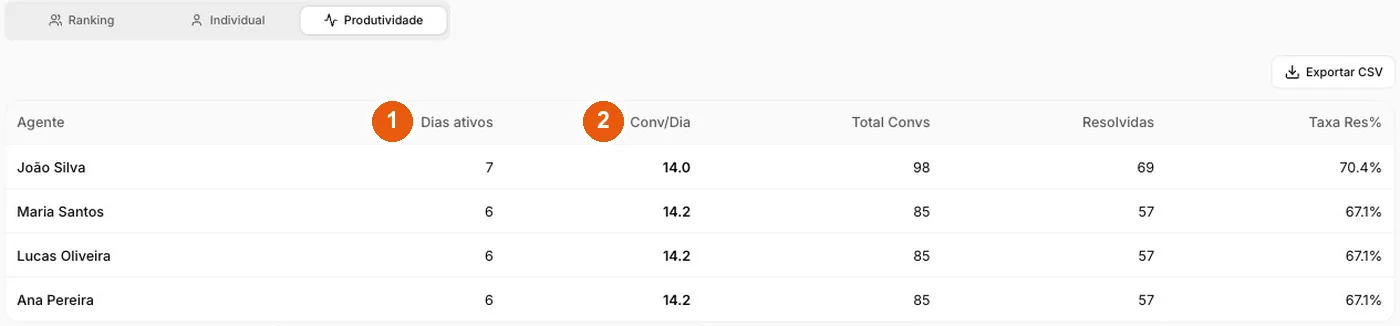
Track productivity by operator and period, combining volume, handling times, occupancy and status records. Investigate differences in workload and process before comparing people or changing the team.
Review resolved conversations, average handling time, first response and conversations per hour within the same scope.
Analyze time by status and recorded break reasons to guide team conversations and routine adjustments.
In practice
01Set the scope
The period, teams and analysis criteria.
02Compare
Volume, times, occupancy and statuses.
03Investigate
The routines and conditions behind the numbers.
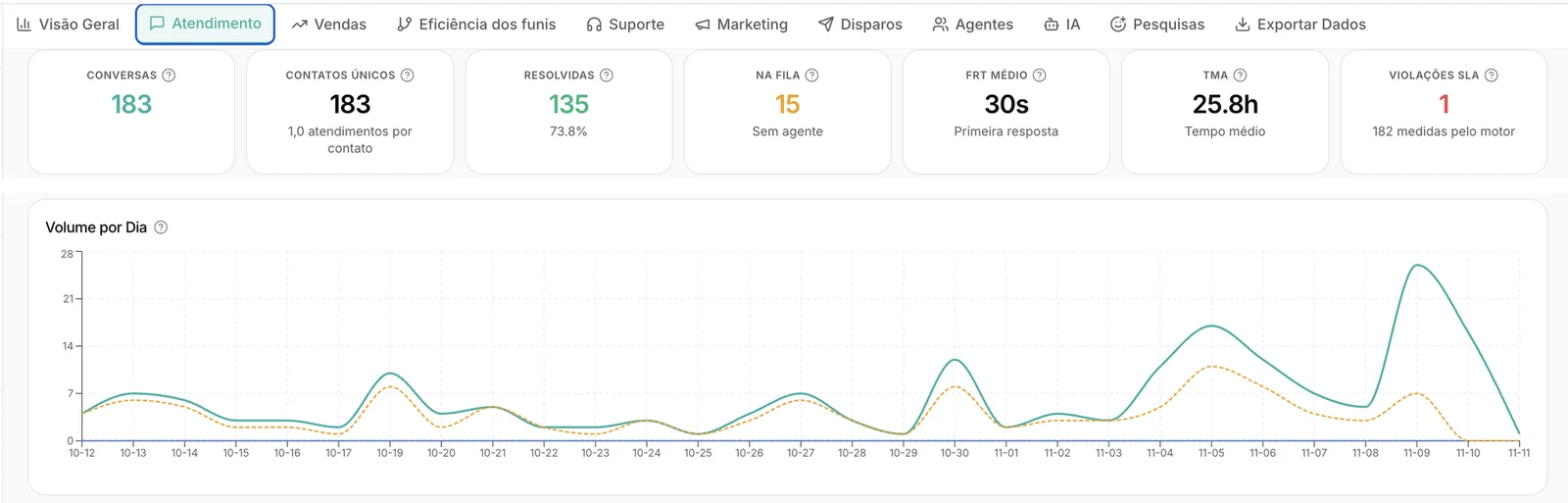
Volume and resolution, with team context.Real screens · UI in Portuguese
yapt. · OperationsVolume and resolution, with team context.
PeriodActive days
ResolutionWork
CapacityWorkload
Real screens · UI in Portuguese
The agent report organizes work completed during the period.
00:00 / 00:19
Real screens from different operations and periods.
How yapt. helps04 / 08
“The message was answered, but the customer is still waiting for what they need.”
Set a target for each part of the wait.
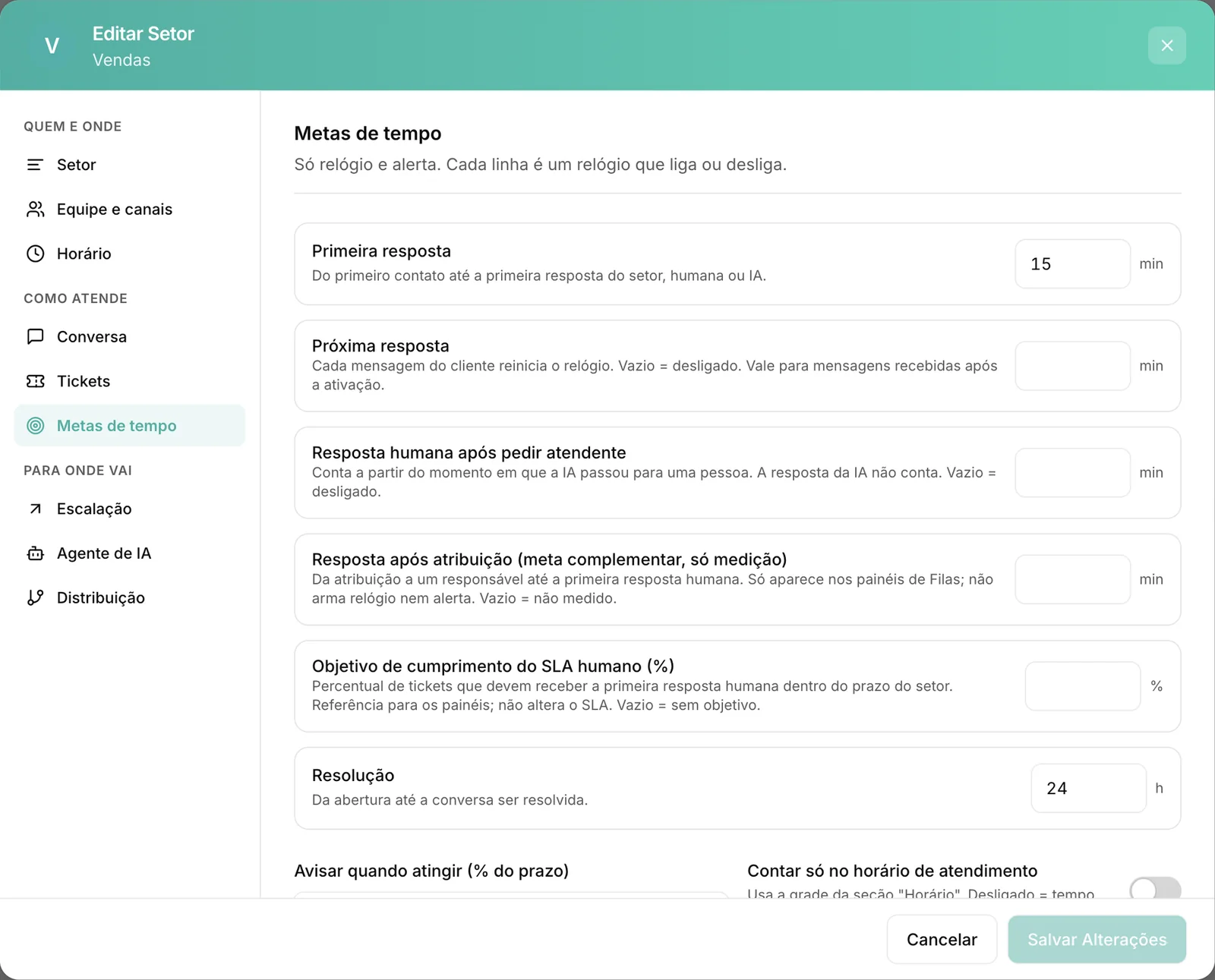
Define targets by team and distinguish first response, next response, human response and resolution. Track enabled time controls to investigate where the journey slows down, even after an automatic reply.
Configure separate targets for relevant times and enable the controls suited to the process.
Check cases linked to the indicators; assigning an operator does not mean responding to the customer.
In practice
01Define
The team's targets and business hours.
02Distinguish
Assignment, response and resolution.
03Investigate
Cases and stages with longer-than-expected waits.
From a configured deadline to waiting that needs attention.Real screens · UI in Portuguese
yapt. · OperationsFrom a configured deadline to waiting that needs attention.
ResponseTarget
ResolutionDeadline
MonitoringAttention
Real screens · UI in Portuguese
Time targets are defined for the team.
00:00 / 00:19
Real screens from different operations and periods.
How yapt. helps05 / 08
“The case changes hands and we have to reconstruct everything to continue.”
Keep context, ownership and the next step together.
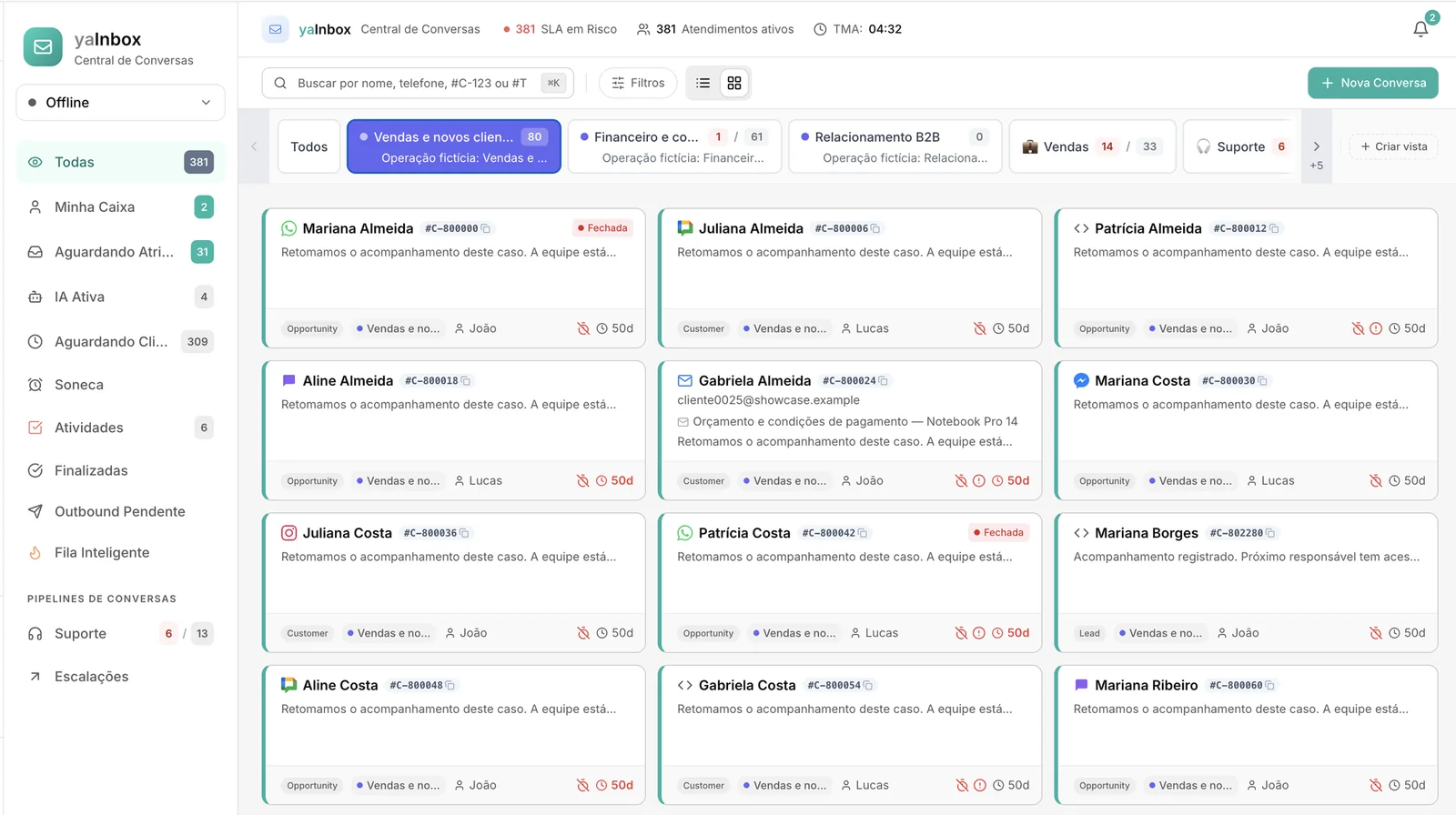
Connect conversations, tickets and available history to follow work across people and teams. Record stages and handoffs so the next person can find what has happened and what needs to continue.
Organize cases and their conversations to review the work's journey without relying solely on the team's memory.
Include a summary or note in the configured flow and record the destination and reason when handing work to another team.
In practice
01Connect
The customer, conversation and relevant ticket.
02Record
Stage, owner and handoff reason.
03Continue
History and pending work available to the team.
Work continues with a clear next step.Real screens · UI in Portuguese
yapt. · OperationsWork continues with a clear next step.
ConversationsContext
TicketOwner
Hand offNext step
Real screens · UI in Portuguese
The hub brings together conversations from different channels and teams.
00:00 / 00:19
Real screens from different operations and periods.
How yapt. helps06 / 08
“Creating tasks, filling fields and remembering every next step still depends on the team.”
Clear repetitive routines from the team’s path.
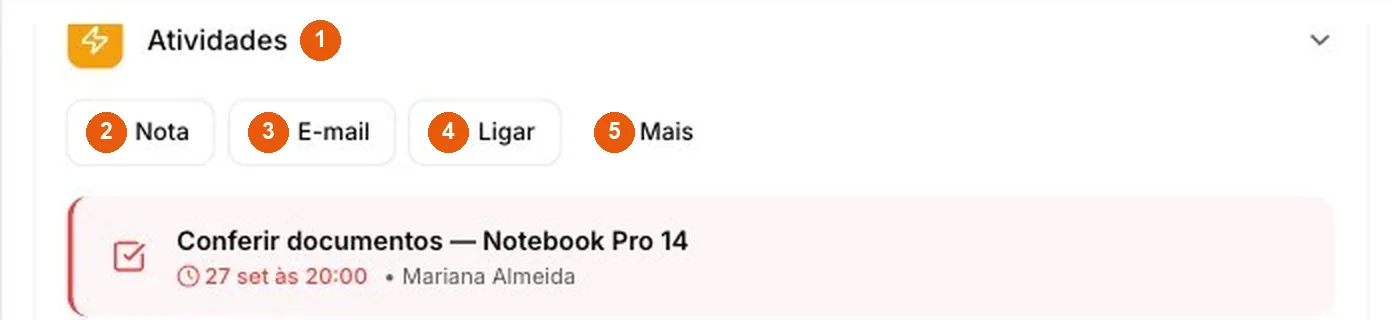
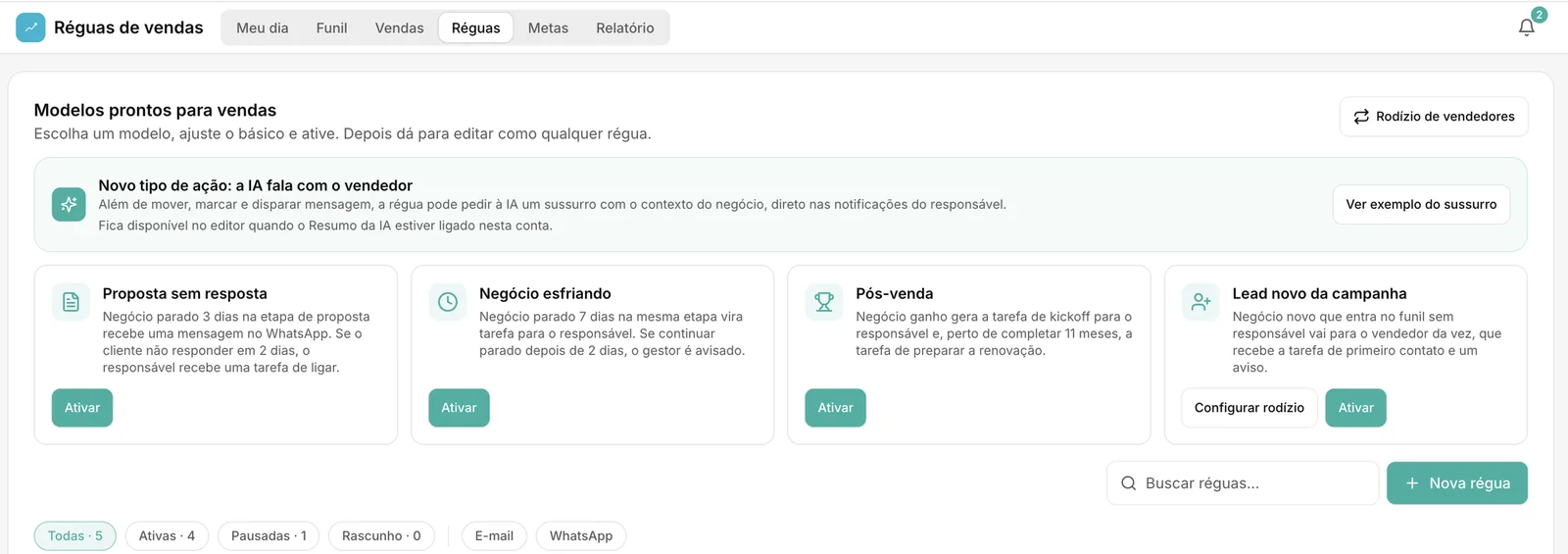
Automatically create activities in deals and support, fill the fields you define and organize smart sequences throughout the customer journey. yapt. connects events, conditions, AI and actions to keep work moving with less manual effort.
Create activities with owners and deadlines based on what happens in a deal or service interaction.
Automatically fill defined fields and apply smart communication and action sequences throughout the journey.
In practice
01Trigger
A deal or service event starts the routine.
02Execute
Activities, fields and next steps follow the defined rules.
03Keep moving
Smart sequences support every stage of the journey.
Activities, fields and rules replace repetitive work.Product demo · UI in Portuguese
yapt. · OperationsActivities, fields and rules replace repetitive work.
ActivitiesOwner
FieldsValues
RulesStages
Product demo · UI in Portuguese
▤1.Criar atividade⌃
Tipo de atividade *
📋 Tarefa⌄
Título *
Retornar ao cliente
Use {{contact.name}}, {{deal.title}} para variáveis
Descrição (opcional)
Conferir o andamento e retornar.
Vence em (dias)
1
Horário (opcional)
10:00
Prioridade
Normal⌄
Atribuir a
Responsável da conversa⌄
Responsável do deal
✓Responsável da conversa
✎2.Atualizar campo do contato⌃
Campo do contato
Acompanhamento⌄
Valor
Aguardando retorno
Activities are recorded with the team’s work. This screenshot shows an example linked to a deal.
00:00 / 00:19
Real screens and product interfaces reproduced for demonstration. Illustrative activities and fields.
How yapt. helps07 / 08
“To complete one task, we have to open several screens and copy information.”
Your API integration, built through conversation in yaAgents.
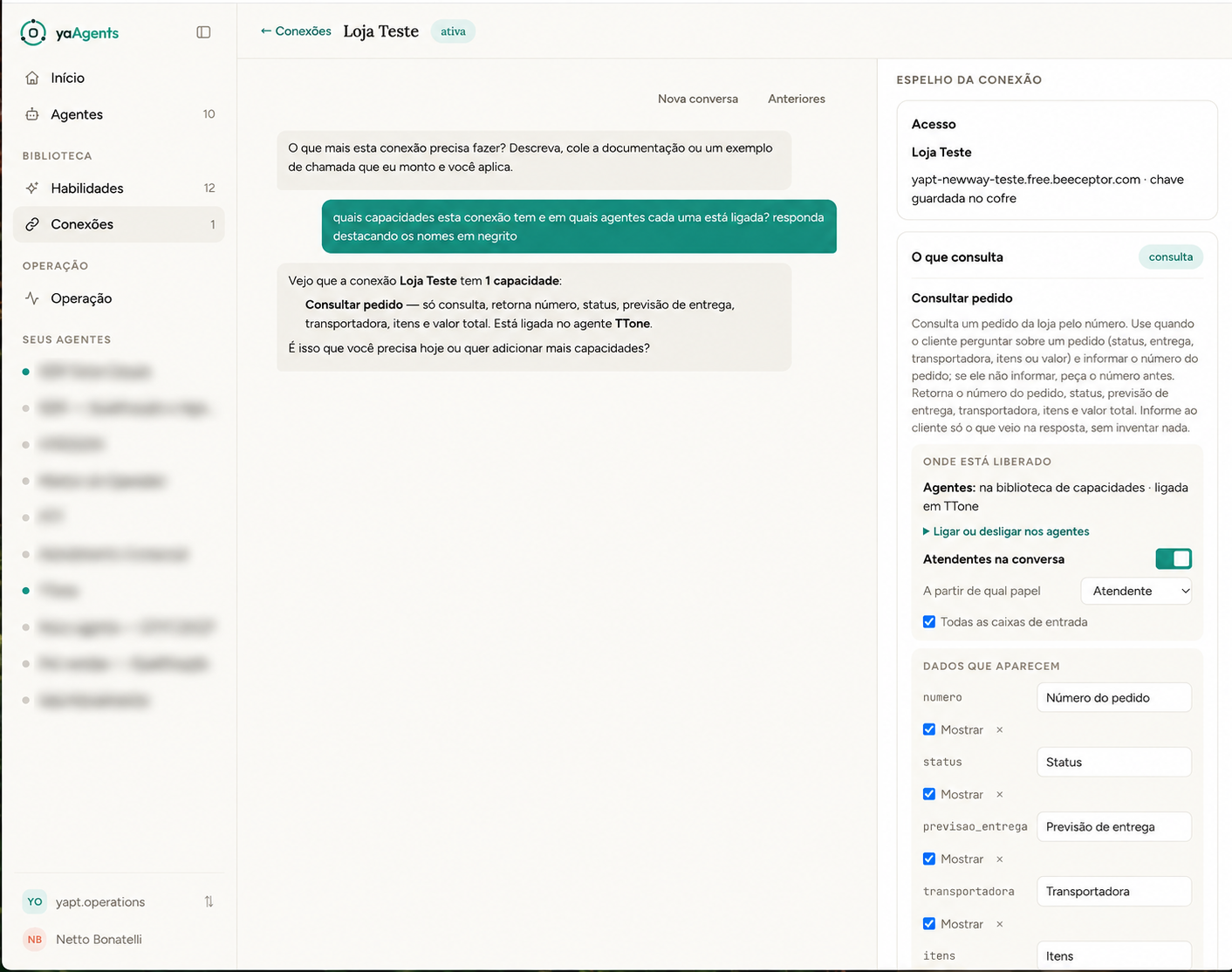
Describe what you need to look up or execute and build the API connection through conversation in yaAgents. Bring internal system data into the conversation panel and make queries and actions available to AI agents and your team.
Build API and webhook connections through conversation, with the data, access and actions your operation needs.
Display internal system information during service and enable AI to look up data or execute configured actions.
In practice
01Describe
The system, the API and what needs to happen.
02Build
The yaAgents conversation becomes a connection with queries and actions.
03Use
Data for operators and tools for AI, in the context of work.
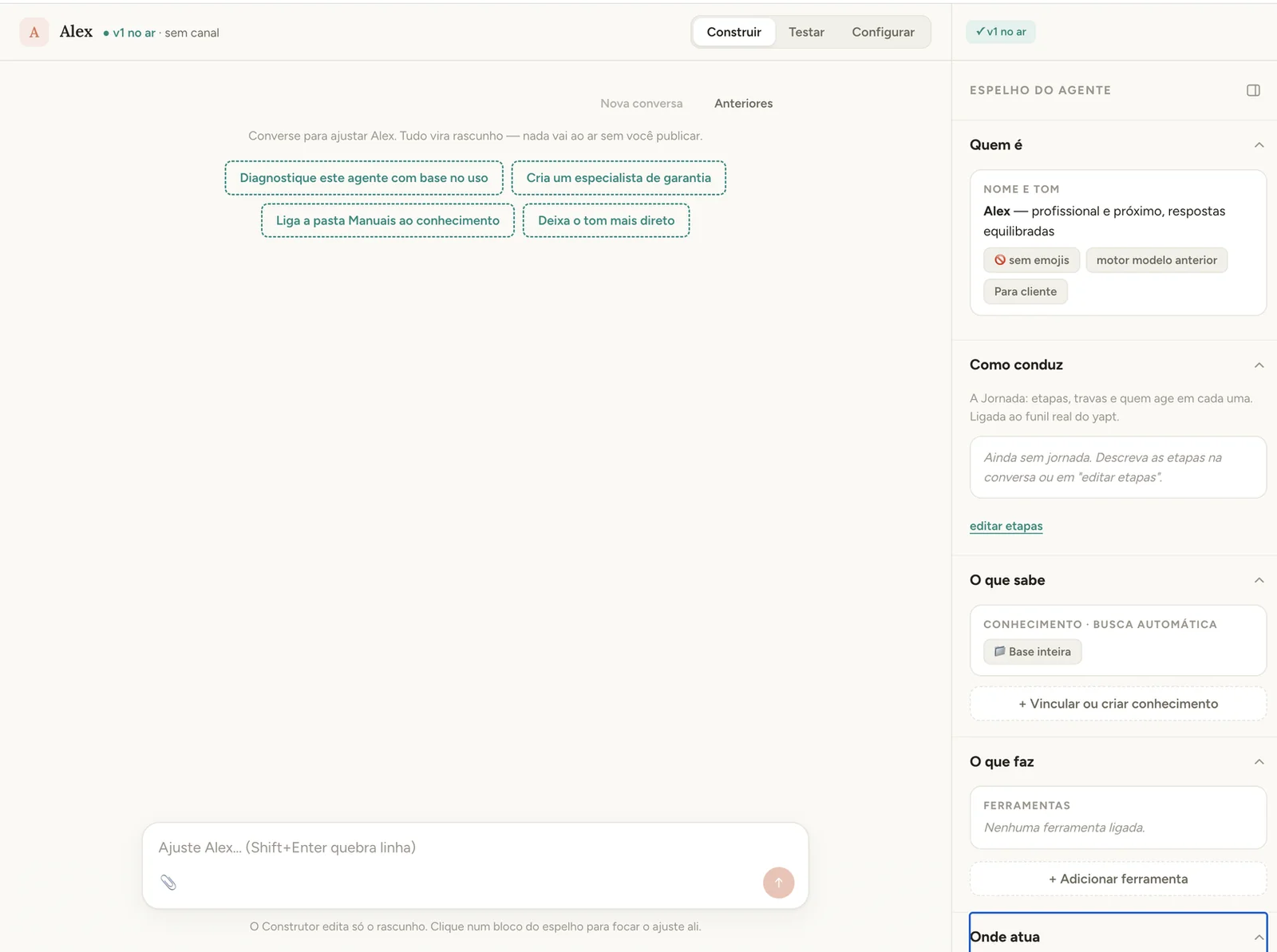
Connections through conversation. Data in the context of work.Product demo · UI in Portuguese
yapt. · OperationsConnections through conversation. Data in the context of work.
ConversationConfiguration
LookupCapability
ContextData
Product demo · UI in Portuguese
‹ ConexõesAPI de pedidos
Demonstração · API existente
Conecte nossa API de pedidos. Quero consultar status e previsão de entrega pelo número do pedido.
Preparei a conexão com a capacidade Consultar pedido. Revise o acesso e teste a consulta para usar com agentes e atendentes.
Start with a conversation with the assistant about connecting the system.
00:00 / 00:19
Real screens and a product interface reproduced for demonstration. Example connection to an existing API.
How yapt. helps08 / 08
“We changed the operation, but we do not know if results improved.”
Track change with comparable criteria.
Define the problem, period and indicator before changing the routine. Combine monitoring, productivity and case journeys to check what changed and investigate what still needs adjustment.
Read waiting time, work, transfers and productivity according to each report's period and definitions.
When needed, work with specialists to review cases, choose the next adjustment and track the same scenario.
In practice
01Define
The scenario, indicator and initial scope.
02Compare
Periods using the same interpretation criteria.
03Improve
The process based on cases and data.
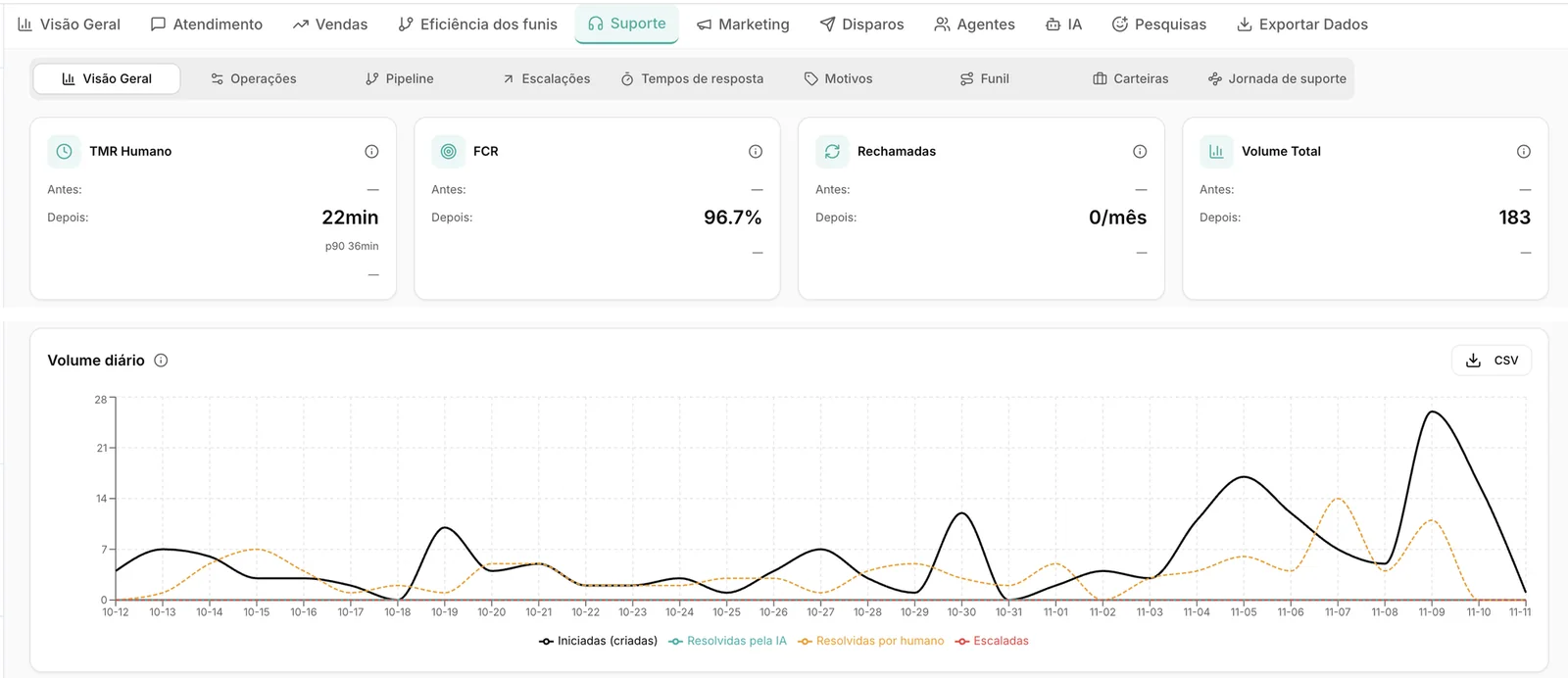
Reports for investigating completed work.Real screens · UI in Portuguese
yapt. · OperationsReports for investigating completed work.
AgentsWork
ServiceResolution
SupportVolume
Real screens · UI in Portuguese
The agent report shows work completed during the period.
00:00 / 00:19
Real screens from different operations and periods.
Inside the operation
From a backlog to the next decision.
Follow a monitoring review, find a queue with waiting work and compare team workloads. Then see where to configure routing and time targets, and return to the indicators to follow up.
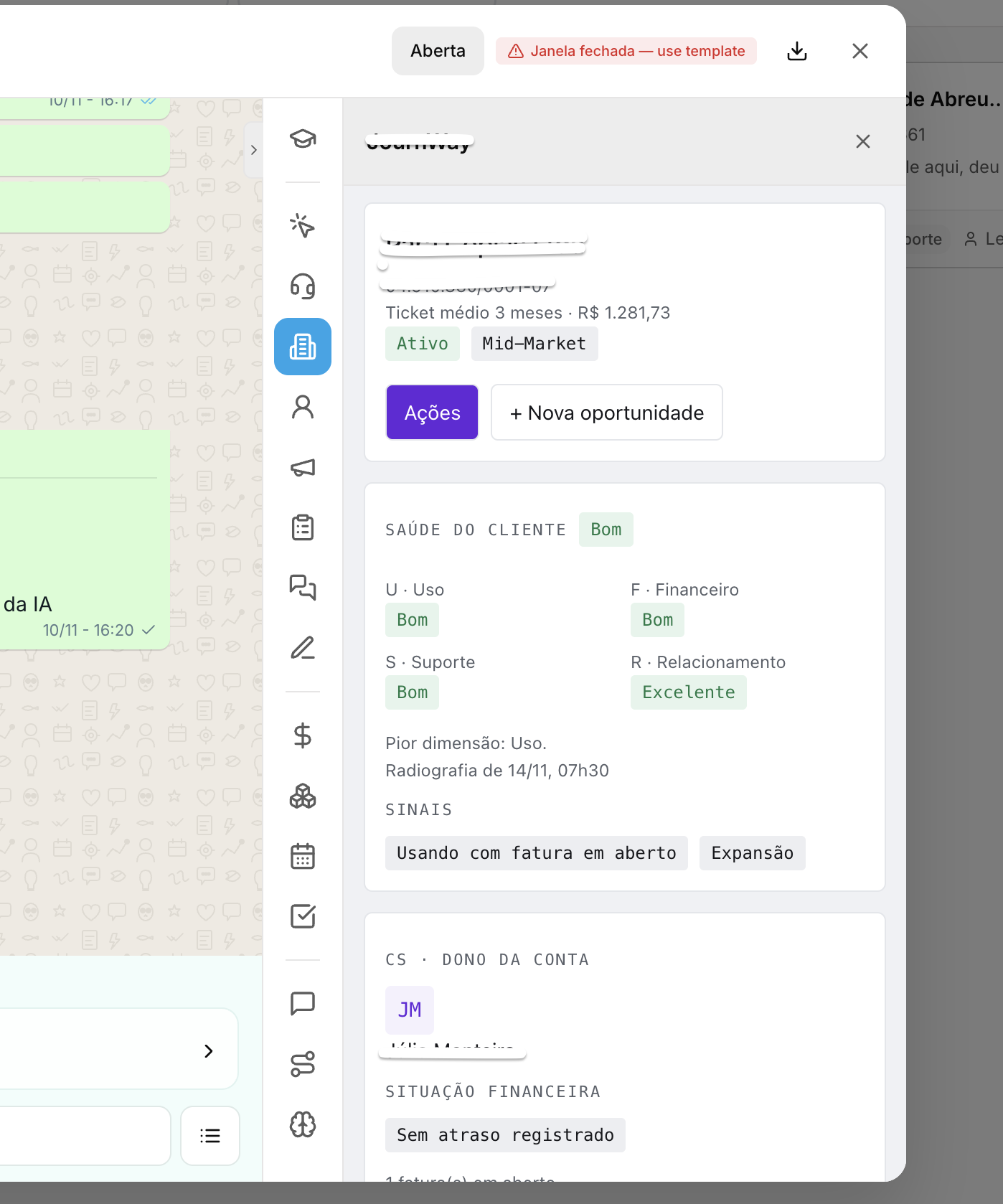
From bottlenecks to operational controlReal product screens
yapt. · OperationsFrom bottlenecks to operational control
MonitorOverview
QueuesWait
TeamLoad
RulesCriteria
TargetsSLA
Real product screens
Workspace
DashboardVeja os números do atendimento e das vendas em um só lugar.
InboxAtenda seus clientes por WhatsApp, e-mail e redes sociais em uma tela só.
HistóricoEncontre qualquer conversa já encerrada, com tudo que foi dito.
CalendárioGerencie agendamentos e disponibilidade da sua equipe.
Operações
Inteligência em CanaisSaiba quais linhas oficiais pode usar, quanto pode enviar e o que a Meta mudou.
Filas e gestão de filasDistribua as conversas entre a equipe com regras de fila e prioridade.
Operadores e produtividadeAcompanhe sua equipe em tempo real: quem está online, em pausa ou atendendo.
Find the bottleneck before changing the operation.
00:00 / 00:53
Real screens from different teams and periods. Product UI in Portuguese.
Real screens from different teams and periods, with indicators specific to each scope.
A connected foundation for your operation
AI, automation, data and integrations working with your team.
Process automation and system integration connect demand to the work that needs to happen. Your team can work with specialists to configure rules, data and AI around your operational needs.
AI for operations management
Knowledge and instructions prepare agents and suggestions for defined scenarios.
Process automation
Configured rules, tools and limits organize routines and handoffs to people.
Productivity indicators
Queue management uses volume, workload and time indicators to identify bottlenecks and assess operational efficiency.
System integration
Available APIs and access bring lookups and actions into the context of work.
yaAgents · build through conversation
Describe your operation. Build the AI and connections to work with it.
Organize knowledge, instructions and tools through conversation in yaAgents. Specialists can help your team review the configuration, test scenarios and improve AI as the process develops.
Your operation has its own needs. Improvement starts with understanding them.
The assessment considers queues, manual processes and systems to prioritize AI and automation. Specialist support is available for implementation and ongoing operational improvement.
01
Diagnose
Understand demand, bottlenecks, team capacity and the systems involved.
02
Implement
Configure an initial scenario with the rules, AI, knowledge and connections required.
03
Improve
Guide the team, track indicators and adjust the process based on real work.
Scope, channels, integrations and features are defined according to each company's needs and configuration.
Before you start
Clarity to organize. Evidence to improve.
Is artificial intelligence for operations limited to customer service?
The platform connects conversations, tickets, owners, queues, AI and systems to organize work linked to the customer journey. The assessment identifies where to apply process automation and which stages to track in yapt. or integrated systems.
How can we balance the team’s workload?
Combine views of queues, current workload, limits and operator availability to decide where to support the operation. Configure manual routing or automatic round-robin or least-loaded routing, priorities and options for waiting or a backup team. Capacity should be read alongside workload and limits, as well as online status.
What can we automate with AI?
We can combine flows, sequences and agents to look up information, prepare responses, update records and route demand according to defined triggers and conditions. Each scenario uses configured knowledge, tools and permissions, with human review or continuation when needed. For mentor suggestions, the operator decides what to apply.
How are time targets tracked after an AI response?
An automatic reply, assignment and first human response are different events. Each team configures targets and enables time controls relevant to its process, including response and resolution times. Assigning a conversation does not mean responding to the customer.
Do we need to replace our systems?
The assessment defines what to bring into yapt. and what to connect. In yaAgents, we build connections through conversation to make data, lookups and actions available in the work. Feasibility depends on available systems, APIs, access and tools.
How do we evaluate productivity and the return on a change?
We define the scenario, period and comparable criteria to track waiting time, workload, volume, times and productivity. The analysis considers cases and working conditions to guide the next adjustments. To evaluate economic impact, we combine operational indicators with business costs and data.
Where do we start and how do specialists participate?
You can start with a concrete problem, such as a queue backlog or repeated manual lookups. Specialists are available to help configure the first scenario, test it with the team and analyze indicators. Their involvement and scope are defined according to your operational needs.
 Artificial intelligence for operations management