Teams and collaboration.Connected to your AI operation.
Connect internal communication to customer-service and sales conversations in the yapt. platform. In yapt. teams, groups, private chats and case discussions keep the conversation context available to authorized people, without copying the history to another tool.
1,900+ companies have trusted New Way with their operations
Corporate chat with the context of the work
How much work stalls between one person and the next?
In internal communication, copying information to another chat, forwarding history and finding someone who can help takes time. Connect collaboration to customer-service and sales conversation context to keep work moving.
How yapt. helps01 / 06
“I have to explain everything again to get help with this case.”
Bring the discussion closer to the case.
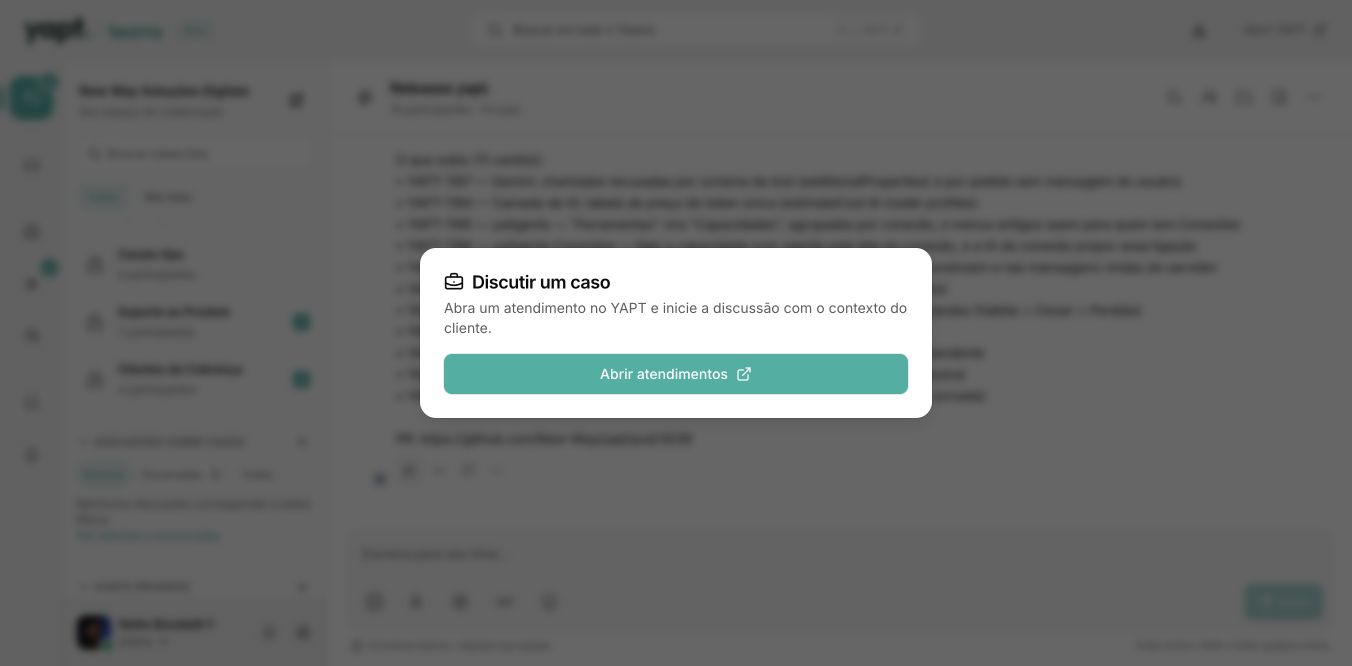
Start a discussion from a customer-service conversation and involve the people or groups who can help. The link lets participants consult the available context and return to the original conversation, with less copying and relaying between tools.
Consult the company, contact, ticket or conversation and available follow-up information.
Keep a reference to the customer-service conversation that prompted collaboration.
In practice
01Open the case
Start the discussion from the conversation that needs support.
02Involve the team
Choose colleagues or groups enabled to participate.
03Keep work moving
Consult the context and return to the original conversation.
People who help also get the context.Real product screens · Portuguese UI
yapt. · MarketingPeople who help also get the context.
Start with the caseStart with the case
CollaborateCollaborate
FindFind
Real product screens · Portuguese UI
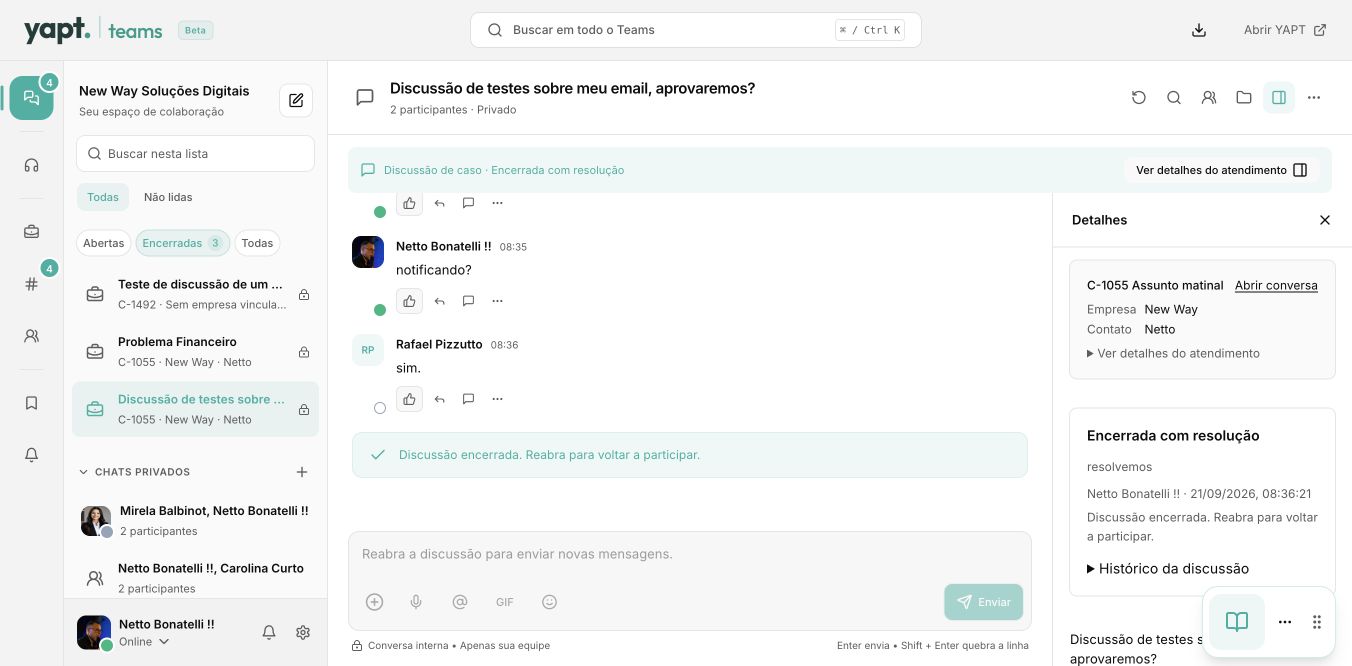
A case discussion starts from the customer conversation that needs help.
00:00 / 00:15
Real product screens. Internal information protected where necessary. Interface in Portuguese.
A yaTeams collaboration journey: people, discussions and customer conversation context. A case discussion starts from the customer conversation that needs help. The link to the original conversation brings the team together with context. A discussion keeps the original customer conversation within reach of its participants. Messages from a closed discussion remain available in the history. A test discussion keeps its link to the original customer conversation. In this already closed example, the details remain available for review.
“The customer waits while I figure out which team to contact.”
Connect the people who move work forward.
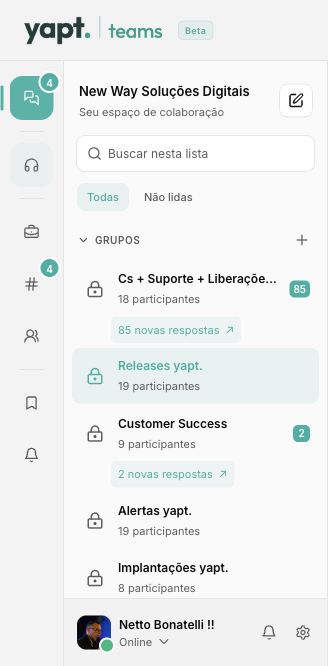
Organize groups around company workstreams and use private chats for direct alignment. Enabled groups can also join case discussions, bringing customer-facing teams closer to the people who know the subject.
Bring internal communication and cross-team support into the same platform.
Use groups and private chats according to the coordination needed.
In practice
01Organize
Bring people together by team, topic or workstream.
02Align
Talk in the group or directly with the person you need.
03Connect to the case
Involve enabled groups when customer service needs them.
Each topic with the right people.Real product screens · Portuguese UI
yapt. · MarketingEach topic with the right people.
OrganizeOrganize
Prepare the groupPrepare the group
Define accessDefine access
Real product screens · Portuguese UI
Groups bring together the people involved in company operations.
00:00 / 00:15
Real product screens. Internal information protected where necessary. Interface in Portuguese.
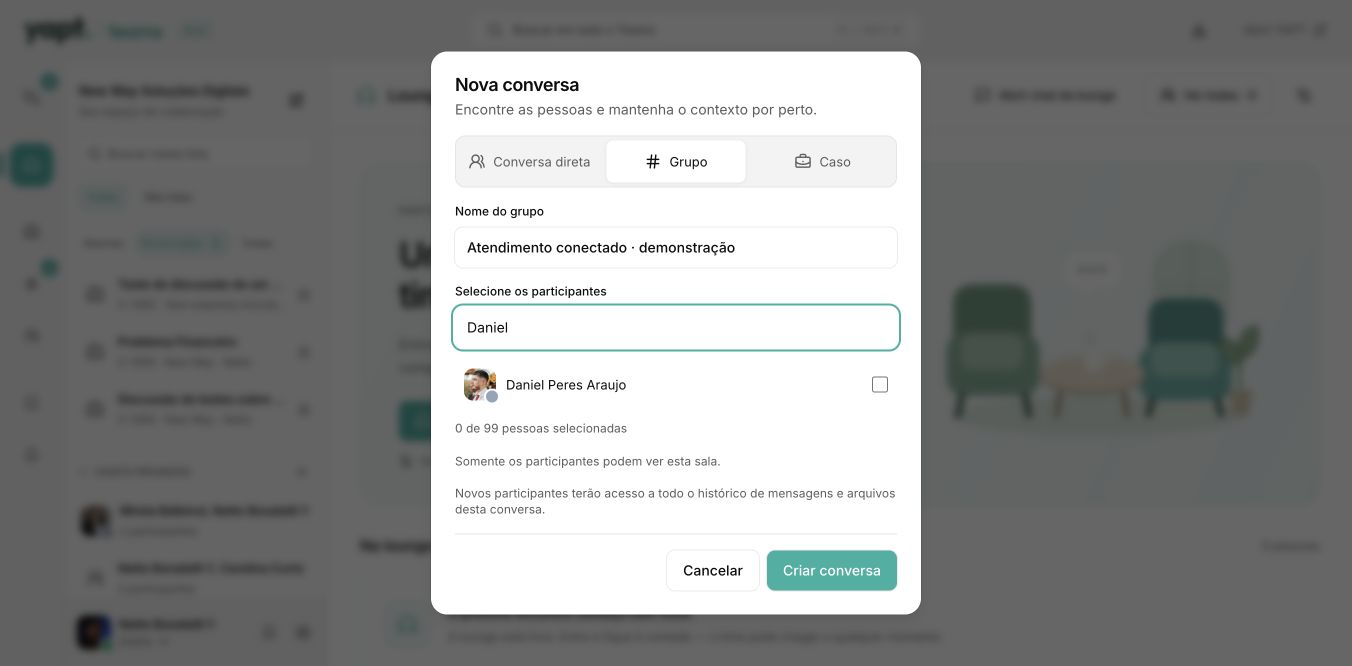
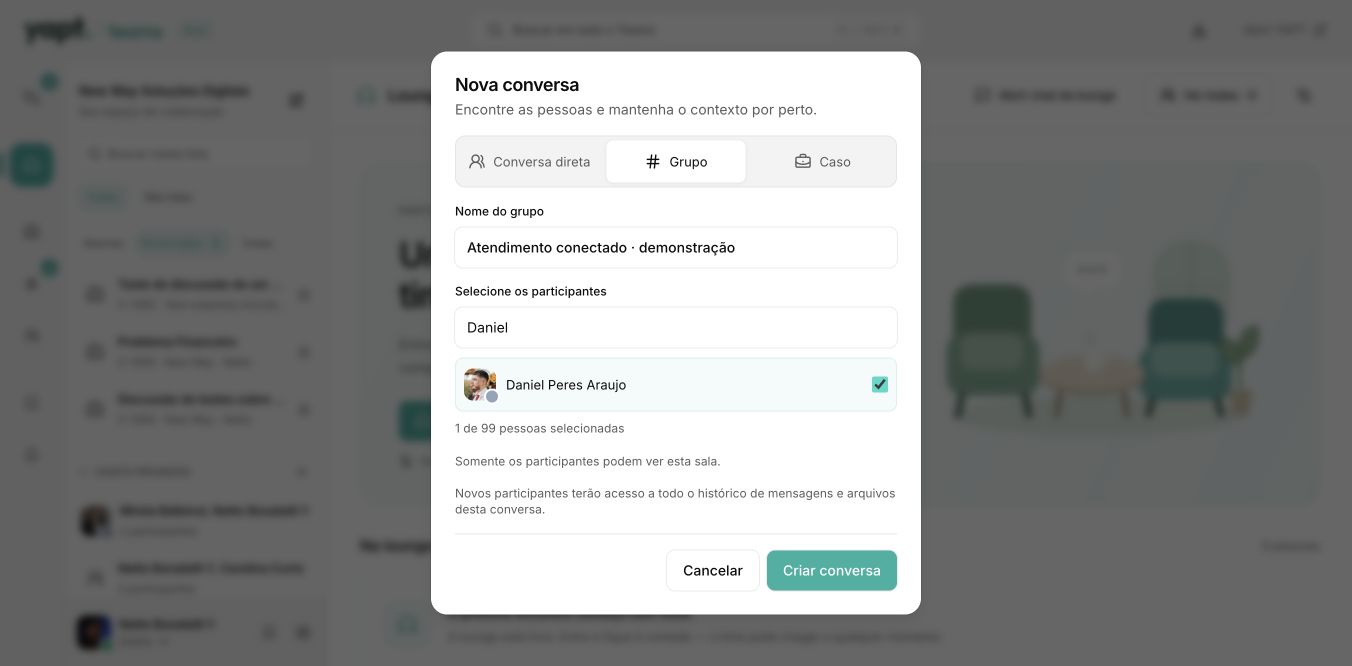
A yaTeams collaboration journey: people, discussions and customer conversation context. Groups bring together the people involved in company operations. Team conversations keep messages, replies and files with the topic they belong to. Give the workspace that will bring the team together a name. The name is filled in this draft. Creation only happens after confirmation. Collaboration respects who can take part in each conversation or group. The notice explains access to the history. This group is still being prepared.
“The team decided in chat, but the decision never reached the operator.”
Bring the decision back into the operation.
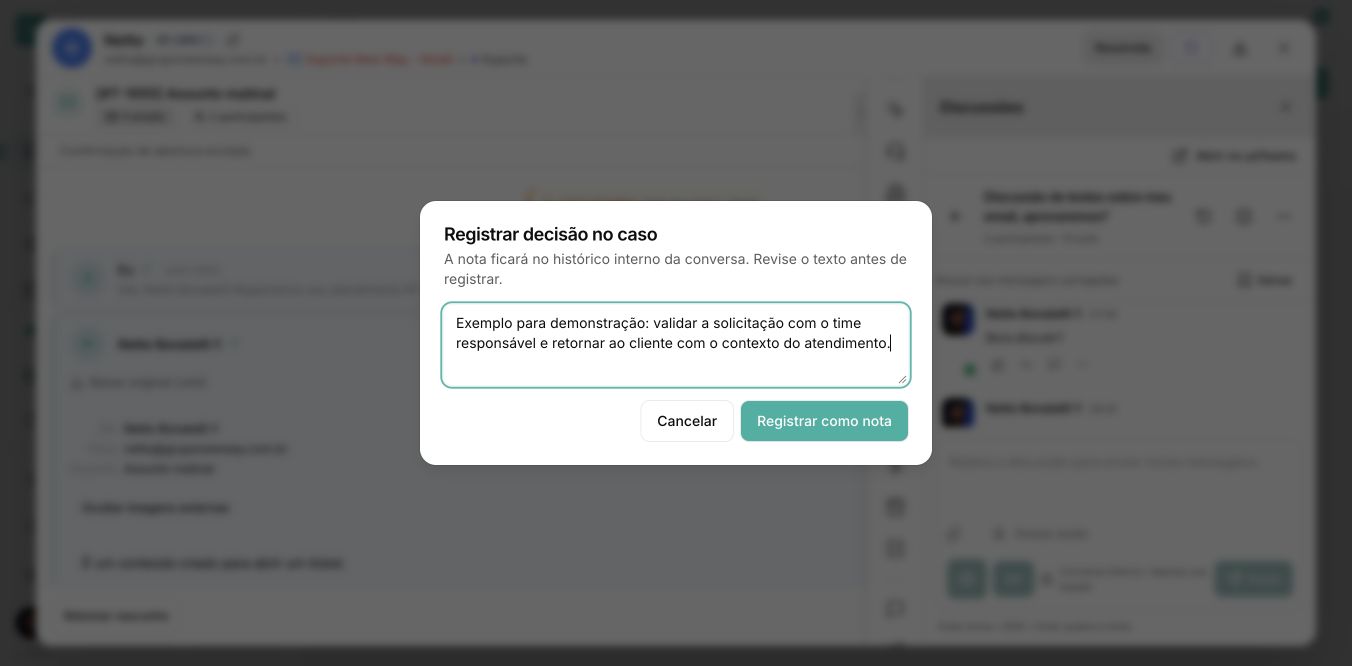
Organize follow-up in threads and mention the people who need to participate. In a linked discussion, review and record the decision as an internal note in customer service, preserving the reference for whoever continues the work.
Keep each topic’s follow-up together without mixing every reply.
Bring the collaboration outcome into the internal history that guides the team.
In practice
01Discuss
Keep replies about the same subject in the thread.
02Record
Review the decision before recording it as an internal note.
03Continue
Continue customer service with the guidance and discussion reference.
Keep the reasoning with the case.Real product screens · Portuguese UI
yapt. · MarketingKeep the reasoning with the case.
CollaborateCollaborate
Follow the threadFollow the thread
Review the decisionReview the decision
Real product screens · Portuguese UI
A discussion keeps the original customer conversation within reach of its participants.
00:00 / 00:15
Real product screens. Internal information protected where necessary. Interface in Portuguese.
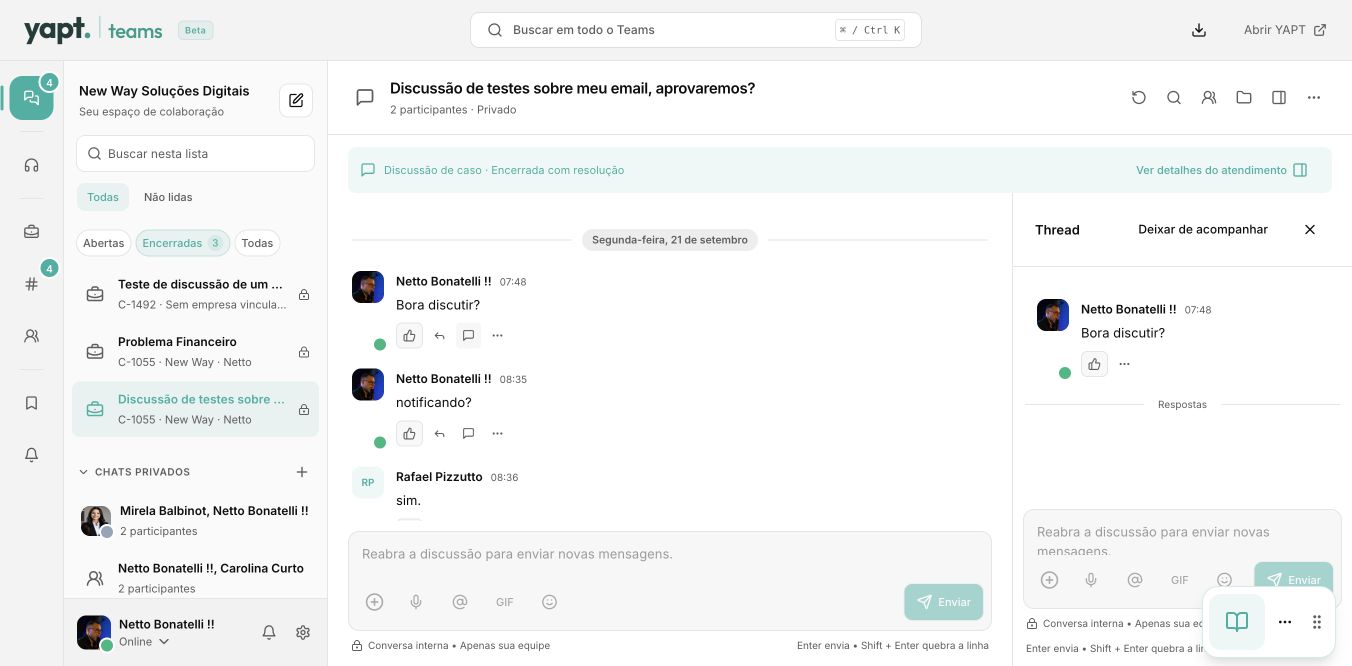
A yaTeams collaboration journey: people, discussions and customer conversation context. A discussion keeps the original customer conversation within reach of its participants. Messages from a closed discussion remain available in the history. Replies about a topic can continue in their own thread. This thread was opened to review the message. No new reply was sent. Discussion content can be prepared for an internal note in the customer conversation. This is a review screen: saving requires confirmation. No note was saved in this demonstration.
“I know that information was shared in a group. I just cannot find where.”
Find what the team has already shared.
Use global search or search within a conversation. Room files and saved messages help you find references again; conversation history preserves the discussion trail so the team can avoid asking everything again.
Search history without relying on someone remembering which group they replied in.
Save important messages and consult conversation files when needed.
In practice
01Search
Search Teams or the conversation where the topic was discussed.
02Retrieve
Consult available messages, files and references.
03Resume
Return to the topic with the history the team shared.
Find what you need to keep moving.Real product screens · Portuguese UI
yapt. · MarketingFind what you need to keep moving.
FindFind
RetrieveRetrieve
Follow the threadFollow the thread
Real product screens · Portuguese UI
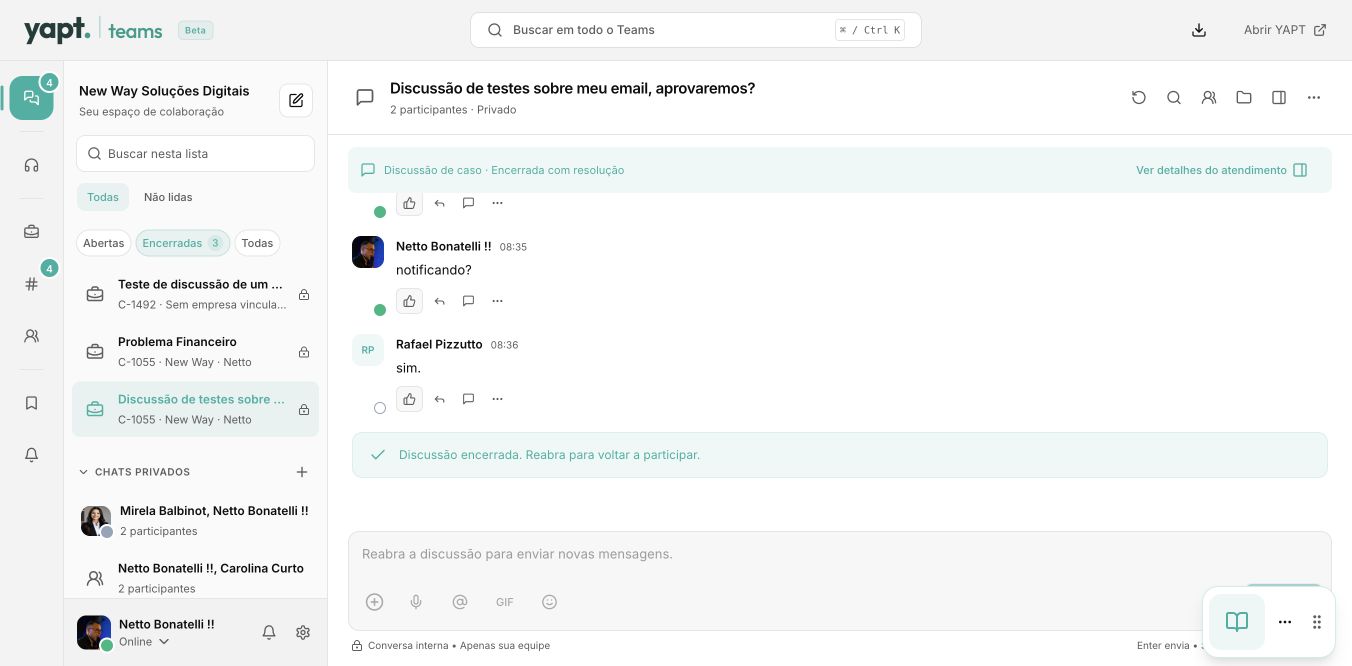
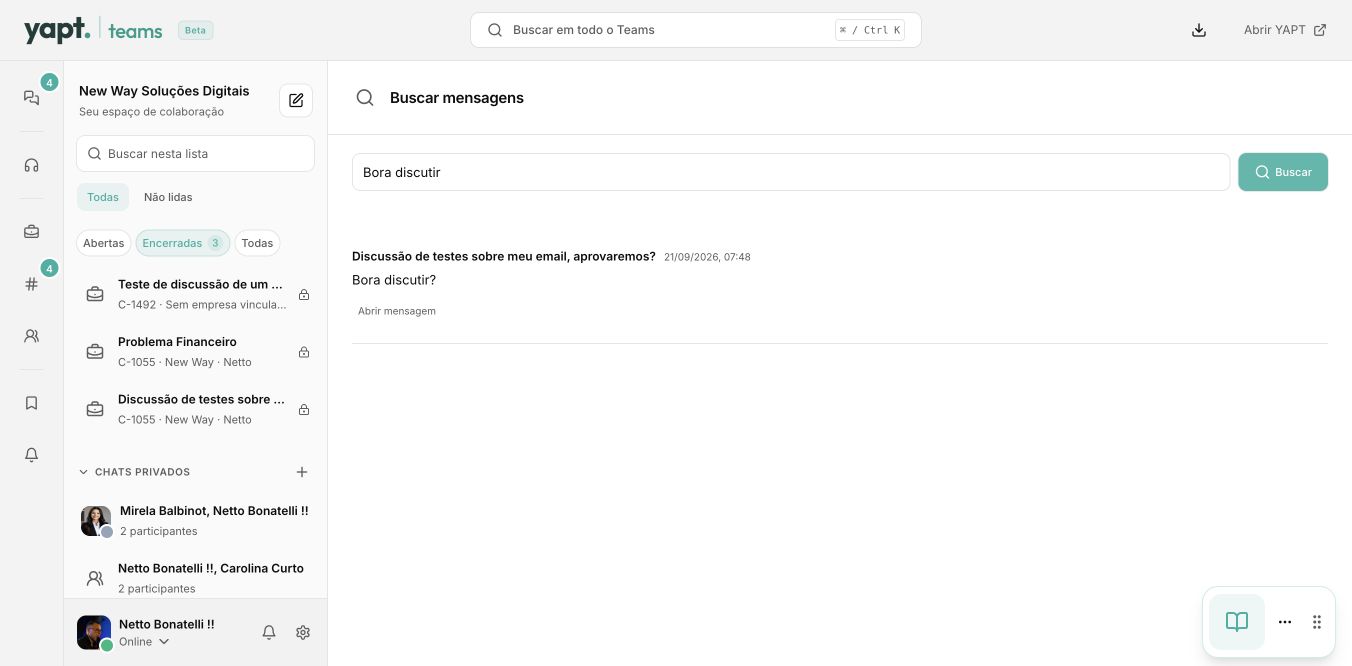
A test discussion keeps its link to the original customer conversation.
00:00 / 00:15
Real product screens. Internal information protected where necessary. Interface in Portuguese.
A yaTeams collaboration journey: people, discussions and customer conversation context. A test discussion keeps its link to the original customer conversation. In this already closed example, the details remain available for review. Teams search helps locate conversations and work information. Return to the topic and its history without having to reconstruct the whole conversation. Replies about a topic can continue in their own thread. This thread was opened to review the message. No new reply was sent.
“This would be easier to resolve in a quick voice conversation.”
Use voice when the work calls for it.
Availability helps identify who can talk. Audio calls in private chats and the Lounge provide spaces for voice coordination within Teams, according to the features enabled for the account.
Combine messages and voice according to the coordination the topic needs.
Keep coordination inside the platform where the team already collaborates.
In practice
01Check availability
Find the person you need to coordinate with.
02Talk
Use an audio call or the available voice space.
03Follow through
Record the agreement in the work context when needed.
Bring the team together to resolve.Real product screens · Portuguese UI
yapt. · MarketingBring the team together to resolve.
OrganizeOrganize
TalkTalk
Choose peopleChoose people
Real product screens · Portuguese UI
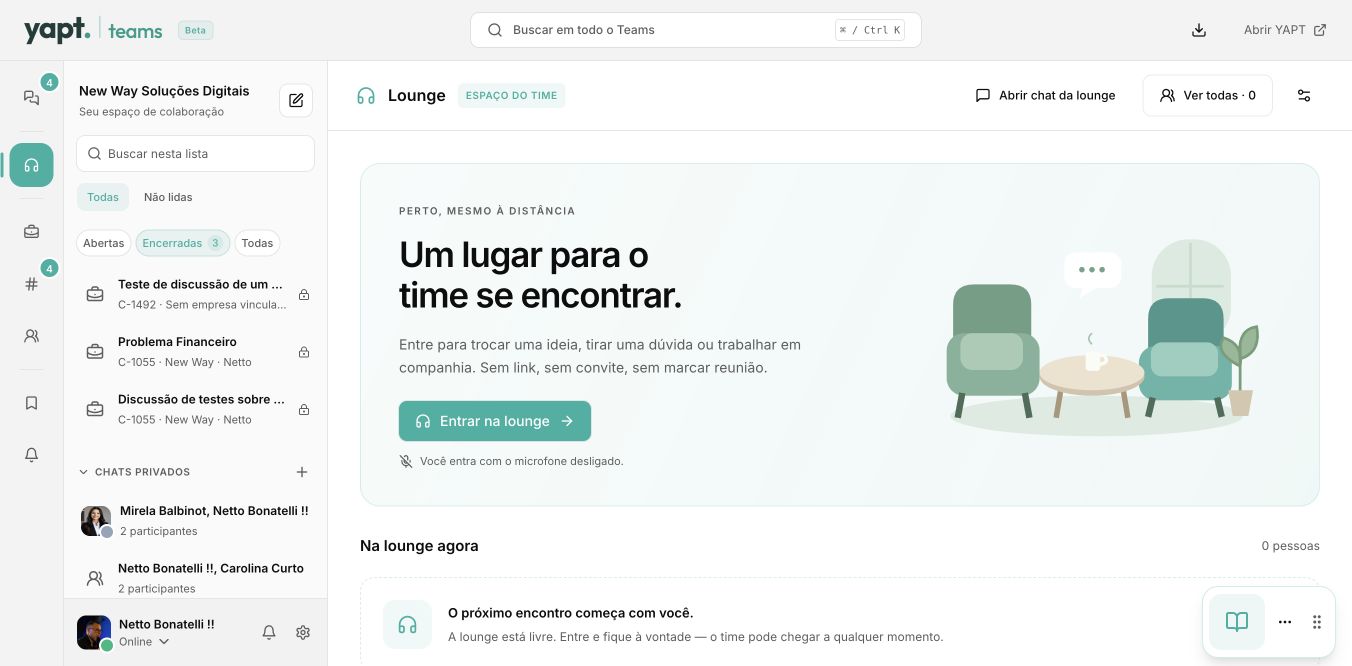
Groups bring together the people involved in company operations.
00:00 / 00:15
Real product screens. Internal information protected where necessary. Interface in Portuguese.
A yaTeams collaboration journey: people, discussions and customer conversation context. Groups bring together the people involved in company operations. Team conversations keep messages, replies and files with the topic they belong to. When a topic calls for a quick conversation, yaTeams also supports audio. The screen shows access to the Lounge, with no participants yet. No call was started. Choose the conversation type and the people who need to take part. Private conversations, groups and discussions meet different collaboration needs.
“We need another person involved, but participation and access are unclear.”
Involve the people who can help, with appropriate access.
Organize group and discussion participants according to company access permissions. Partners who are authorized users can collaborate in permitted spaces, with participation defined for each workstream.
Define who participates in spaces and which groups can receive case discussions.
Involve authorized colleagues and partners while keeping the reference to the conversation that needs support.
In practice
01Define participation
Identify the people and groups who need to work together.
02Organize access
Consider company membership and the available permissions.
03Collaborate
Bring authorized participants into the work space.
Collaborate with the people who need to take part.Real product screens · Portuguese UI
yapt. · MarketingCollaborate with the people who need to take part.
Choose peopleChoose people
Prepare the groupPrepare the group
Define accessDefine access
Real product screens · Portuguese UI
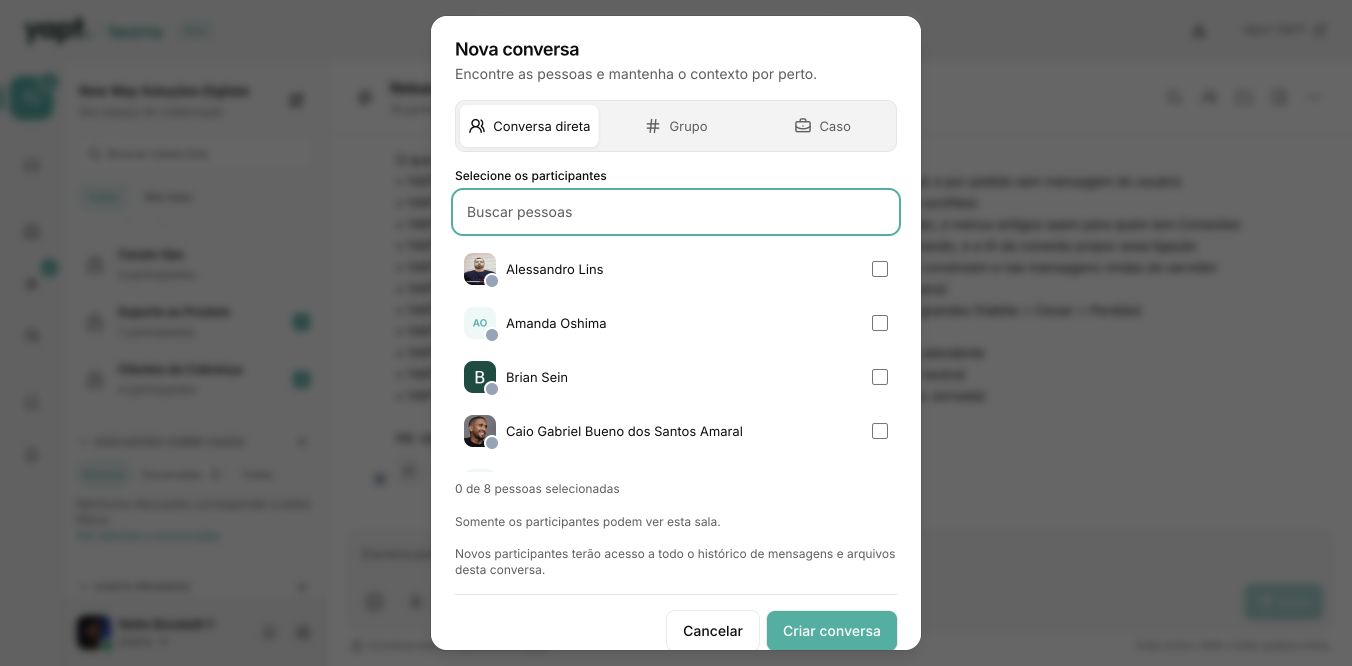
Choose the conversation type and the people who need to take part.
00:00 / 00:15
Real product screens. Internal information protected where necessary. Interface in Portuguese.
A yaTeams collaboration journey: people, discussions and customer conversation context. Choose the conversation type and the people who need to take part. Private conversations, groups and discussions meet different collaboration needs. Give the workspace that will bring the team together a name. The name is filled in this draft. Creation only happens after confirmation. Collaboration respects who can take part in each conversation or group. The notice explains access to the history. This group is still being prepared.
Internal communication and contextual collaboration
People, context and continuity in one place.
Connect corporate chat to customer-service and sales conversations. yapt. teams brings people, messages and decisions into the operational workspace while keeping the case reference.
Corporate chat for your team
Groups, private chats and voice for internal company communication.
Collaboration with customer context
Discussions linked to customer-service or sales conversations, with references to consult and revisit.
The story continues
Threads, search, files and recorded decisions help keep work moving.
From conversation to collaboration
Move the case forward with the right people.
See the team find its collaboration space, follow replies and consult the context linking a discussion to customer service. The reviewed decision can return to the internal history to guide the next steps.
From team conversation to case continuity.Real product screens · Portuguese UI
yapt. · MarketingFrom team conversation to case continuity.
Find the contextFind the context
Resolve as a teamResolve as a team
Keep work movingKeep work moving
Real product screens · Portuguese UI
A test discussion keeps its link to the original customer conversation.
00:00 / 00:36
Real product screens. Internal information protected where necessary. Interface in Portuguese.
A yaTeams collaboration journey: people, discussions and customer conversation context. A test discussion keeps its link to the original customer conversation. In this already closed example, the details remain available for review. A case discussion starts from the customer conversation that needs help. The link to the original conversation brings the team together with context. A discussion keeps the original customer conversation within reach of its participants. Messages from a closed discussion remain available in the history. Replies about a topic can continue in their own thread. This thread was opened to review the message. No new reply was sent. A test discussion keeps its link to the original customer conversation. In this already closed example, the details remain available for review. Discussion content can be prepared for an internal note in the customer conversation. This is a review screen: saving requires confirmation. No note was saved in this demonstration.
Animation assembled from real captures of an existing New Way test discussion. The drafts shown were not submitted. Beta product, subject to account enablement.
From customer service to teamwork
Those helping find the case. Those serving receive the decision.
Start the discussion from the conversation, involve enabled people or groups and consult the available context. After alignment, a person can review and record the decision as an internal note. Closing the discussion organizes collaboration; customer-service status is handled separately.
Your team can identify handoffs between departments, organize collaboration spaces and select an initial routine. Specialists can support implementation, depending on the delivery model you choose, bringing communication closer to the work that needs to move forward.
01
Map handoffs
Identify where the team has to leave the context, repeat information or wait for another team.
02
Organize collaboration
Define groups, participants and a routine for discussions and decision records.
03
Track continuity
Track time to get support, handoffs and customer-service progress.
yapt. teams is in Beta. Availability, participants and features are confirmed according to company access.
Before connecting your team
Clarity to collaborate and keep work moving.
How does yapt. teams work as a corporate chat?
yapt. teams brings groups, private chats and voice features together for internal company communication. Case discussions add a link to the customer-service or sales conversation, bringing coordination between people closer to the customer context.
How can people collaborate on a customer-service or sales conversation?
A discussion can be started from the customer-service conversation modal. The link preserves the conversation or ticket reference and lets participants consult available information such as contact, company, status and owners, as well as open the original conversation. Each person’s access permissions still apply.
Can I involve groups and partners?
You can involve colleagues and groups enabled to receive case discussions. Partners must be users with authorized company access and participate in permitted spaces. Participation depends on configured membership and permissions; it is not a public room open through a link.
How does the decision return to customer service?
In a linked discussion, a person can review and record the decision as an internal note in customer service, with a reference to the discussion. Closing a discussion organizes the internal work and its outcome. It does not close the ticket or automatically change the customer-service status.
What helps find information that has already been shared?
Global search and in-conversation search help retrieve messages. Threads keep a topic’s replies together, files are available in the conversation and important messages can be saved. Results respect the spaces each person can access.
Does yapt. teams support voice calls?
Audio features support calls in private chats and voice spaces in the Lounge, according to account availability. Presence helps track people’s availability.
Where do we start?
yapt. teams is in Beta. First confirm availability for your company and choose a routine where coordination between people or departments delays work. Your team can organize participants and spaces and work with specialists when needed. Track indicators such as time to get support, handoffs and service continuity.
 Internal communication in the AI platform · Beta